
Inventory that doesn't add up
The system says one thing, the shelf shows another. Sales happen with no product on hand, and purchases happen with no real need.
Online WMS · real-time warehouse management
A complete online WMS to manage inventory, receiving, put-away, picking, shipping, and stock counts in real time.
The challenge
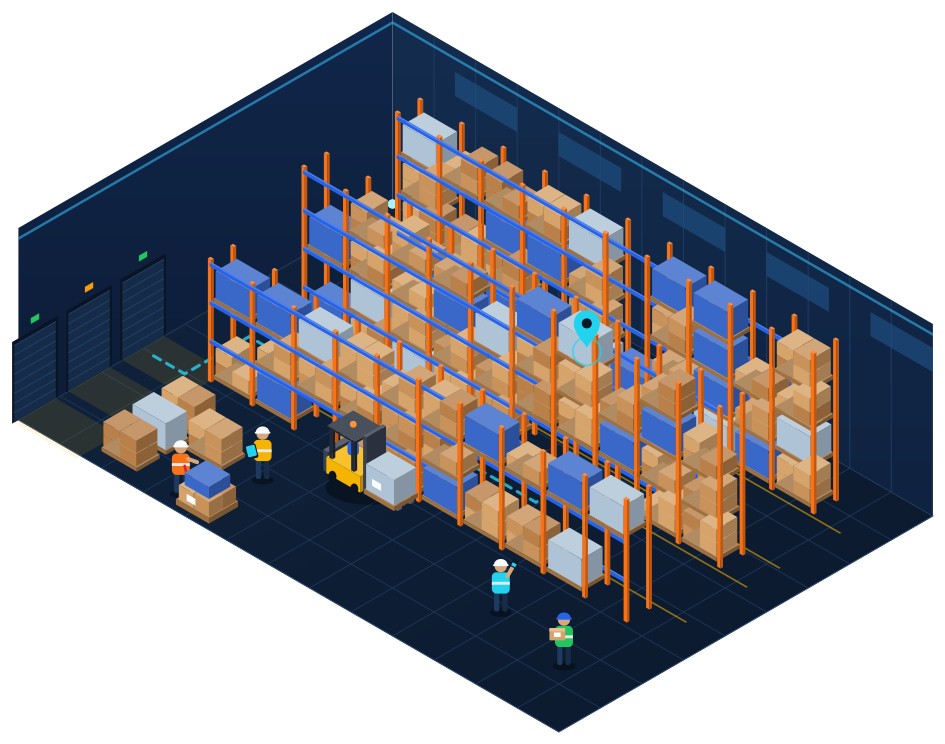
Spreadsheets, paper, and scattered information leave the warehouse depending on people's memory. The result shows up every day: products that “disappear,” slow picking, wrong orders, and decisions made in the dark.
The system says one thing, the shelf shows another. Sales happen with no product on hand, and purchases happen with no real need.
Operators walk the warehouse with no defined sequence and no validation of what's actually being collected.
Receiving, inventory, and shipping live in different spreadsheets, with no reliable record of who did what.
Without real-time data, it's hard to prioritize orders, size teams, and anticipate bottlenecks.
The solution
The WMS centralizes logistics operations and lets you follow the flow of goods from receiving all the way to shipping. It's not just an inventory system — it's a complete platform for smart logistics management.
Every receipt, movement, and shipment updates the balance instantly, by product, lot, and location.
Browser access, in the office or on the warehouse floor, with no local installation.
Multiple facilities on the same platform, with independent operations and a consolidated view.
A complete history of every movement: who did it, when, from where, and to where.
Physical and system inventory aligned through validations and cycle counts.
Picking tasks organized by rules, with a suggested collection sequence.
A REST Web API to connect ERP, e-commerce, marketplaces, and TMS.
Dashboards and reports to track the operation and decide based on data.
Dashboard
See the warehouse's key indicators in real time and make data-driven decisions: from available stock to capacity by area, from the pick heatmap to the ABC curve, all the way to operational alerts.
Overview · DC Unit 1
Updated now
Warehouse
Capacity, pick heatmap, ABC curve and replenishment
78% of positions occupied
967 occupied273 free
By area
4.862 picks in 30 days
Most accessed locations
38% → 71%with 12 re-slotting suggestions
Pick faces refilled from reserve
Pick faces below minimum
PL-R07-C03-N4PK-R01-C02-N136 units
3D warehouse map
Get a view of the warehouse structure, locations, positions, products and stock occupancy. See the pick heatmap and the ABC curve right on the map, with suggestions on where to store each product.
Illustrative representation.
Multi-warehouse
Distribution centers, branches, and depots operate independently, while management sees everything together. Each facility has its own inventory, team, and metrics — and leadership gets the consolidated view.
Consolidated lookup · SKU-20417
| Facility | Available | Reserved |
|---|---|---|
| DC Unit 1 | 1.200 | 180 |
| DC Unit 2 | 540 | 60 |
| DC Unit 3 | 310 | 0 |
| Branch | 95 | 12 |
| Total | 2.145 | 252 |
Features
Every feature was designed to solve a real warehouse problem. See what it is, how it works, and what changes in your operation.
Invoice and goods receiving
Receiving is where accuracy begins. The WMS imports the invoice, guides item-by-item checking, and only releases stock once everything has been validated and put away.
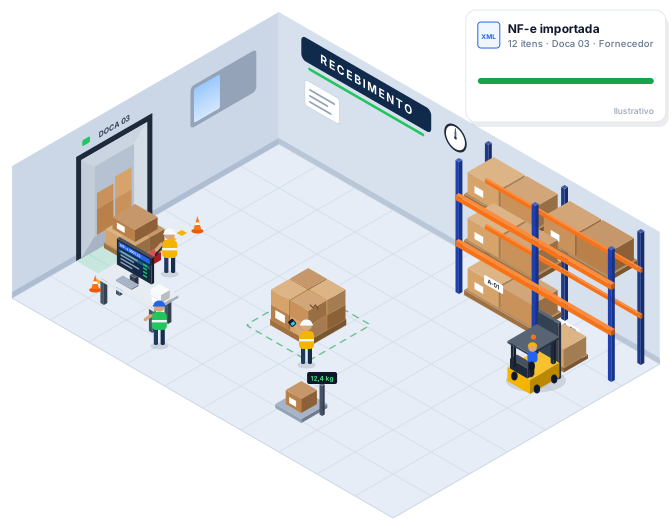
Goods come in without detailed checking, and discrepancies only surface weeks later, during a stock count or when a product runs out.
Guided checking against the invoice, with validation of product, lot, expiration date, and quantity, plus logging of damage and discrepancies.
Inventory that's correct from day one, suppliers held accountable with real data, and put-away organized from the very first minute.
Sales orders
Orders arrive via integration or manual entry, stock is reserved instantly, and every step stays visible to whoever needs to track it — from sales to the warehouse supervisor.
Orders arrive through multiple channels, stock isn't reserved, and no one knows exactly what stage each order is at.
A single order intake point, automatic reservation, prioritization rules, and status updated at every stage of the operation.
Fewer stockouts and less rework, deadlines met with more predictability, and customers accurately informed.
Picking · Smart picking
Cut travel time, errors, and picking time by using smart rules to organize picking tasks. Operators get the collection sequence, and the system validates every location, product, and quantity.
Illustrative route simulation. The numbers indicate the collection order in each scenario.
The operator picks one complete order at a time. Ideal for large, urgent orders or ones with many different items.
Orders are released in waves according to cutoff time, carrier, or priority, organizing the warehouse's pace throughout the day.
Several orders are grouped and picked together, then sorted afterward. Reduces repeated trips to the same location.
Tasks follow the physical order of the locations, so the operator moves through the aisles in sequence, without backtracking.
Picking is one of the most time- and labor-intensive stages in the warehouse — and where many order errors happen.
Tasks grouped by rules, a collection sequence through the locations, and barcode-scan validation on every item.
Operators walk less, pick more, make fewer mistakes, and the supervisor tracks progress in real time.
Shipping
The last chance to catch a mistake is before the truck leaves. The WMS checks products and quantities, controls cartons and labels, and logs the shipment — with automatic stock deduction.
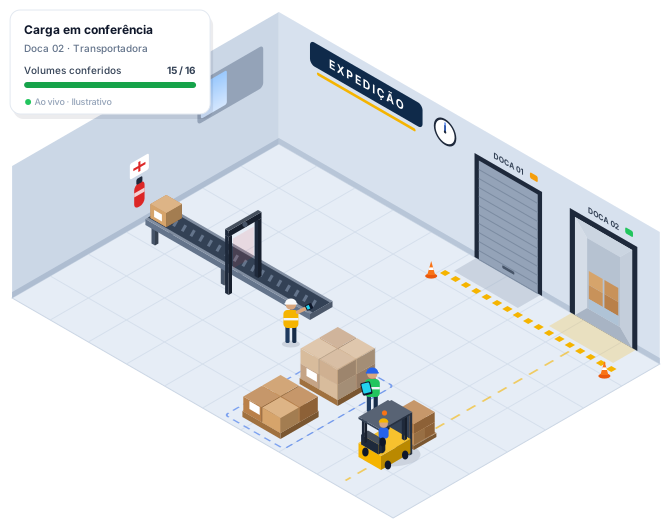
Mixed-up cartons, missing items, and loads sent to the wrong carrier lead to returns, freight costs, and unhappy customers.
Scan-based checking, carton and label control, and carrier confirmation before the shipment is logged.
Orders ship complete and correctly identified, stock updates instantly, and ERP/TMS receive the information automatically.
Inventory
Inventory counts don't have to stop the warehouse. With cycle counts by location, product, or category, the operation keeps running while stock is verified — and every adjustment is logged.
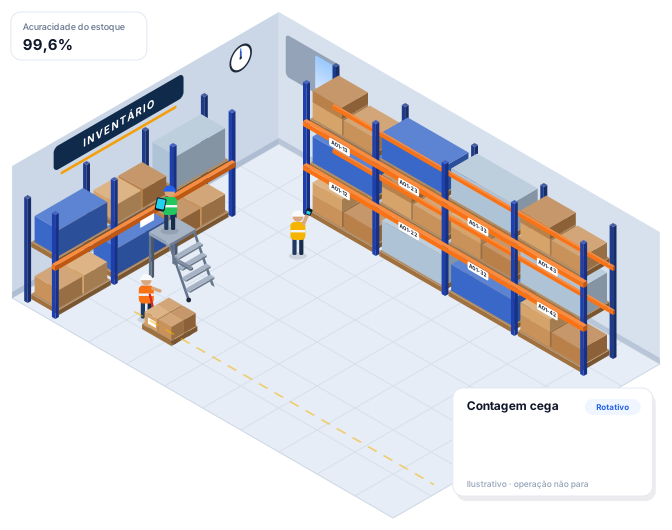
Long annual inventory counts, a warehouse at a standstill, spreadsheets, and adjustments made with no criteria or history.
Blind counting (the operator doesn't see the expected balance), automatic recount on discrepancies, and adjustments requiring approval.
More frequent and reliable stock counts without interrupting the operation, with full traceability of every adjustment made.
Stock accuracy
The WMS compares physical stock against the stock recorded in the system. Track discrepancies, spot inconsistencies, and keep your inventory more reliable for the operation.
Accuracy = items or locations with no discrepancytotal checked × 100
Every count feeds the metric, and every discrepancy becomes a record with location, product, expected quantity, counted quantity, and the person responsible.
Illustrative values, shown only to demonstrate the metric.
Traceability
Know where every product is and everything that happened to it. Every movement is logged with date, time, user, operation, origin, destination, and quantity.
| Date | Time | User | Operation | Origin | Destination | Qty. |
|---|---|---|---|---|---|---|
| 02/09 | 08:14 | conferente.01 | Receiving | Invoice 000.123 | Dock 01 | 200 |
| 02/09 | 08:52 | operador.04 | Put-away | Dock 01 | A01-02-03 | 200 |
| 05/09 | 14:30 | operador.07 | Replenishment | A01-02-03 | P01-01-02 | 40 |
| 06/09 | 10:05 | separador.02 | Picking | P01-01-02 | Order SO-004871 | 12 |
| 06/09 | 10:41 | conferente.03 | Checking | Order SO-004871 | Carton 1/2 | 12 |
| 06/09 | 16:20 | expedicao.01 | Shipping | Dock 03 | Carrier | 12 |
Reports
Table and chart reports for every level of the company: from the supervisor tracking shift productivity to the director evaluating occupancy and turnover.
Master data
A WMS is only as good as its master data. Products, partners, warehouses, locations, docks, and users are organized in one place, ready to feed every stage of the operation.
The product record is the foundation for barcode checking, occupancy calculations, and replenishment. Dimensions and weight help with correct put-away; minimum and maximum stock levels trigger alerts.
Order recipients, with data for prioritization, service rules, and correct carton identification during shipping.
The source of inbound invoices. Lets you track receipts and discrepancies by supplier.
Each facility with its own structure, stock, users, and metrics, within the same platform.
The warehouse's physical structure: aisle, bay, level, and position (A01-02-03), with capacity and area type — picking or storage.
Loading and unloading points, used to organize receiving and shipping and avoid yard queues.
Each person with their own login, linked to the warehouses they work in. Every action is logged under their name.
Access groups by function — admin, supervisor, checker, picker — defining what each role can see and do.
Integrations
Orders come in automatically, invoices are imported, and shipping status flows back to your systems, with no re-keying. A REST Web API to integrate with your systems.
POST /api/v1/pedidos
{
  "numero": "PV-004871",
  "cliente": "CLI-0192",
  "itens": [
    { "sku": "SKU-20417", "quantidade": 12 }
  ]
}
→ 201 Created · status: "estoque_reservado"
Endpoints and fields are purely illustrative. Official API documentation will be provided by the technical team.
Security and access control
Each person sees and does only what their role requires. And everything that's done gets logged: who changed what, when, and in which warehouse.
Roles and permissions
| Permission | Admin | Supervisor | Checker | Picker |
|---|---|---|---|---|
| Receiving | Yes | Yes | Yes | No |
| Picking | Yes | Yes | No | Yes |
| Shipping | Yes | Yes | Yes | No |
| Inventory | Yes | Yes | Yes | Yes |
| Stock adjustment | Yes | Yes | No | No |
| Reports | Yes | Yes | No | No |
| Settings | Yes | No | No | No |
100% online WMS
The platform runs in the browser. Managers follow along from the office, supervisors from the warehouse floor, and operators run tasks on tablet or mobile — everyone looking at the same data.
Benefits
Operational control, reliable inventory, and data to decide with. That's what a WMS delivers, day to day.
Organize tasks and cut travel time.
Validate products, locations, and quantities.
Get greater confidence in physical and system inventory.
Track the entire operation in real time.
Know where a product is and what happened to it.
Get the metrics you need to track the operation.
FAQ
A WMS (Warehouse Management System) is a warehouse management system. It controls the flow of goods within the warehouse — receiving, checking, put-away, inventory, picking, shipping, and stock counts — logging every movement.
No. The WMS is 100% online and accessed through the browser, on authorized computers, tablets, and phones. There's no local installation.
Yes. The platform is multi-warehouse and multi-company: each unit has its own stock, operation and indicators, with a consolidated view, transfers between warehouses, per-unit user control and quick switching between headquarters and branches.
Yes. The 3D map shows the pick heatmap of each location and the ABC curve of the products, and suggests re-slotting to bring fast movers closer to the golden zone. Suggestions never move stock on their own: the stock move opens pre-filled for the user to review and confirm.
Yes. The WMS provides a REST Web API to integrate with ERP, e-commerce, marketplaces, TMS, carriers, and tax/fiscal systems.
The WMS validates product, location, and quantity on every operation and supports cycle counts with blind counting, comparing physical stock against what's recorded in the system and tracking discrepancies with full history.
Demo
See firsthand how a WMS can organize your operation, increase inventory visibility, and improve logistics efficiency.